From Big Data to the Cloud, Part 1 — Why One Machine Is Never Enough
Oct 23, 2026
A calm, sequential guide for anyone entering the field. The article is divided into smaller chapters to make it easier to understand.
This series grows out of the Cloud Computing labs I teach to fourth-year Computer Science students at the University of Hilla. The labs move quickly, because a lab has ninety minutes. The articles can afford to slow down. Here we take the same path the labs take, but we stop at every step and ask the question a careful student always asks: why this, and not something simpler?
The path itself is short to state. Data has grown past the point where one machine can store it, process it, or analyse it efficiently. The answer is not a bigger machine but many ordinary machines working together. And the framework that manages those machines is Apache Hadoop. Each of those three sentences hides a chain of reasoning, and the purpose of this part is to lay that chain out link by link — so that by the end, the cluster does not look like a fashionable choice but like the answer the problem forces on us.
The destination of this series is the cloud. But we will not begin there, because a definition of the cloud means little until you have felt the problem it was built to solve. So the series takes the long road on purpose: first the problem (this part), then the cluster that answered it and the burden that answer carried (Part 2), and only then the cloud — defined in Part 3, and explored service by service in the parts after it.
We will not touch a configuration file in this part. What we build here is the problem — precisely enough that when Part 2 opens Hadoop up and looks at HDFS, MapReduce, and YARN from the inside, each component reads as the answer to a question we have already asked.

Chapter 1: Where All This Data Comes From
Every Action Leaves a Record
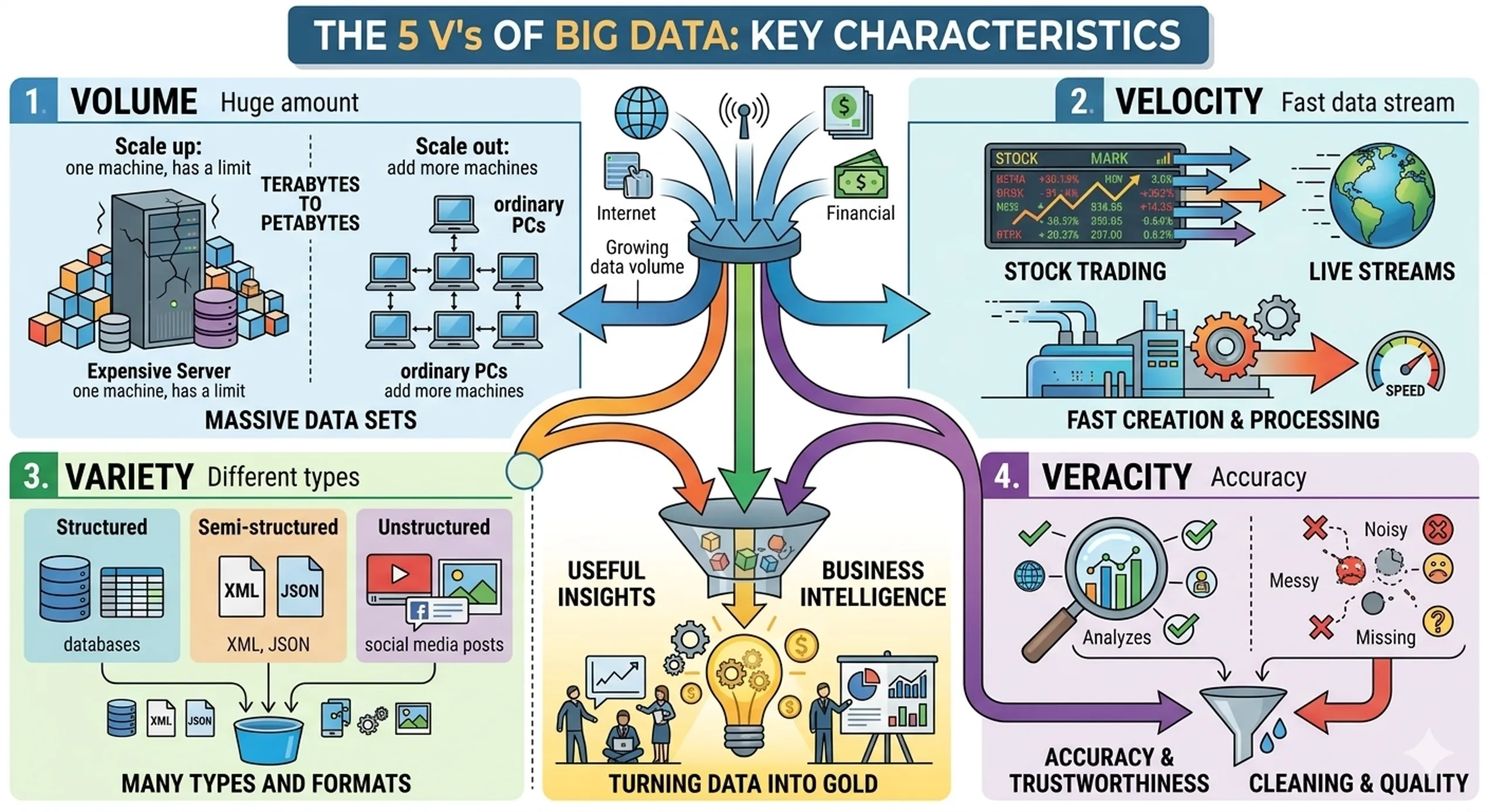
Before we define anything, it is worth noticing how ordinary the sources of big data are. Every click, every purchase, every email, every chat message, and every social post creates data. None of these events is large on its own.
But the sources do not stop at people typing. Sensors and IoT devices report what they measure. Banks record every transaction. Hospitals keep patient records. Streaming services log what their users watch. Each of these produces records continuously, whether or not anything interesting is happening.
The individual record is small. What makes the situation new is the multiplication: small records, produced by enormous numbers of people and devices, without end. Data now reaches billions of records, and petabytes every day. The important words there are every day. The data does not arrive once. It keeps arriving.
Chapter 2: What Big Data Actually Means
A Definition About Tools, Not Size
The most useful definition of big data is not a number. It is this: big data is datasets so large and complex that traditional tools — spreadsheets, a single database server — cannot store, process, or analyse them efficiently.
It is worth being exact about why the definition is phrased this way. Students often ask how large data must be before it “counts” as big. The definition answers by pointing at the tools rather than at a size: data becomes big at the moment the ordinary tool stops coping with it. Notice also that it names three separate jobs — store, process, analyse — and a tool can fail at any one of them.
The Goal Is Insight, Not Storage
A second point is easy to miss: the goal is not only storing data. The goal is extracting insights from it — turning a mountain of records into a decision someone can act on.
The classic example is an online store. It already keeps every purchase as a matter of bookkeeping. The value appears only when it analyses customer habits: what people buy, when, and together with what. With that analysis, the store can make targeted offers and discounts, which increases revenue. The data was there all along; what matters is the ability to read it. Hold onto this, because a system that can store huge data but cannot analyse it has solved only half the problem.
Three Shapes of Data
Data does not only come in different sizes. It comes in different shapes, and the shape decides which tools can handle it.
| Type | Description | Examples |
|---|---|---|
| Structured | Fixed rows and columns | MySQL tables, Excel sheets |
| Semi-structured | Has tags or keys but no rigid schema | JSON, XML, HTML |
| Unstructured | No predefined format | Emails, social posts, images, videos |
Structured data is the familiar case: every row has the same columns. A student table with a name, a department, and an age is structured.
Semi-structured data carries its own labels — tags in XML and HTML, keys in JSON — but does not promise that every record has the same fields. The keys tell you what each value means, yet there is no rigid schema forcing every record into one shape.
Unstructured data has no predefined format at all. An email body, a social post, an image, a video: the meaning is in there, but no column tells you where.
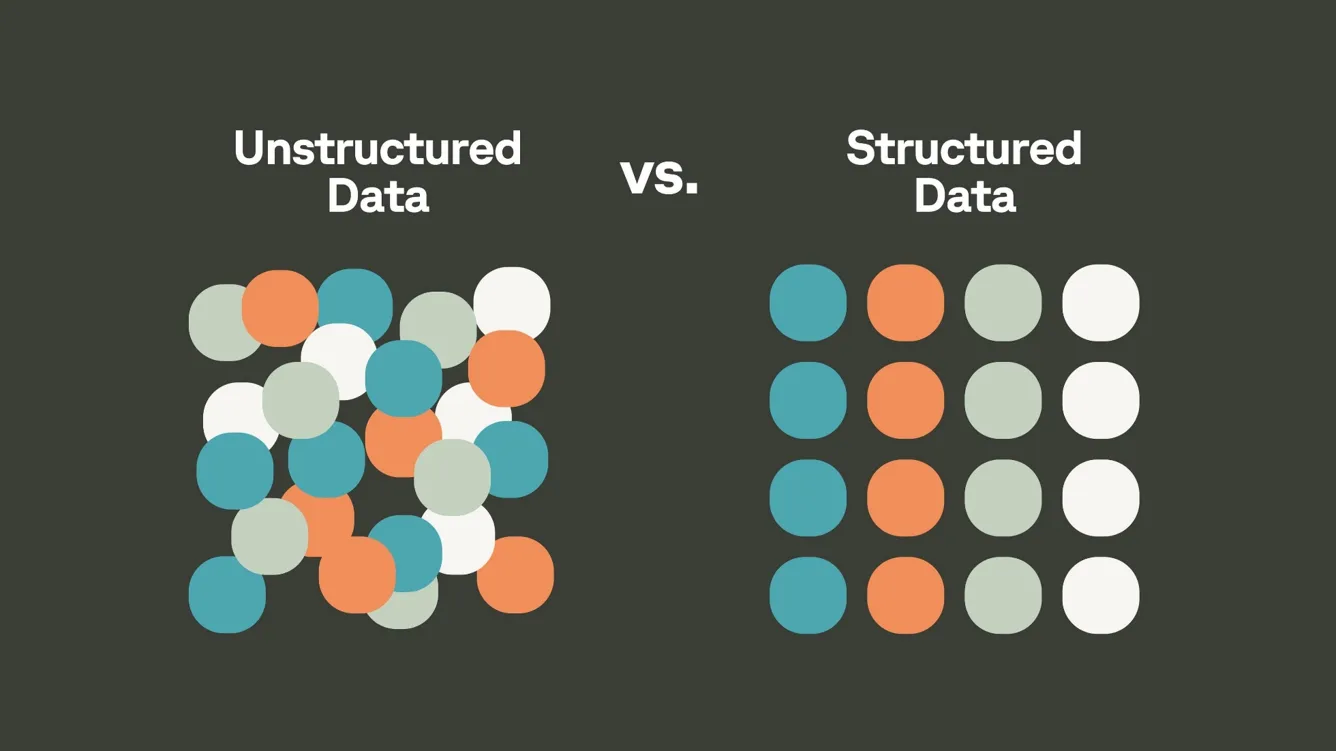
And here is the uncomfortable fact: most of today’s data is unstructured, and that is exactly what traditional databases handle worst. They were built around the first row of that table. The world moved to the third.
Chapter 3: The Five V’s
A Vocabulary for “Why It Is Hard”
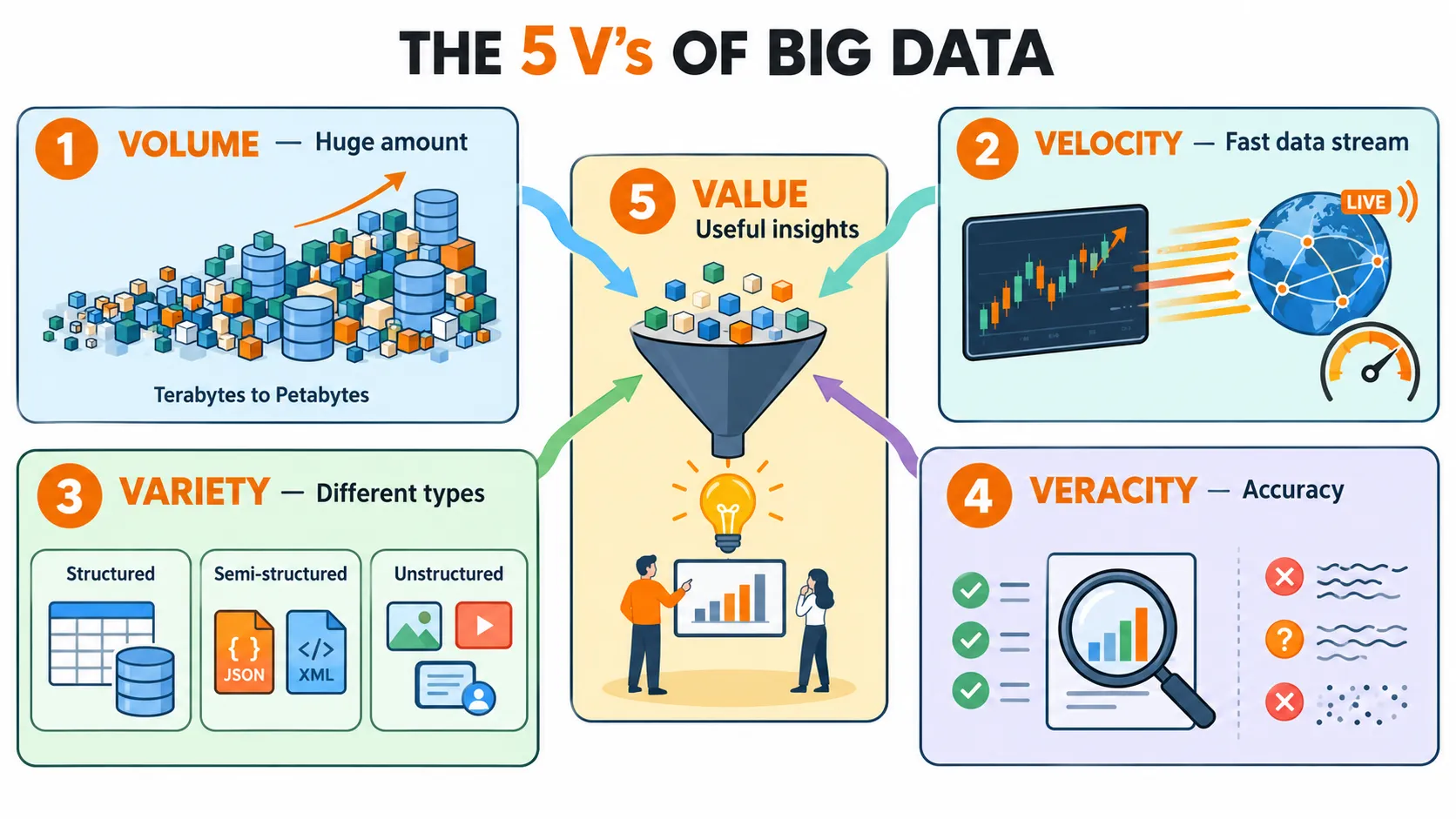
“Too large and too complex” is a good definition, but it is too blunt to design a system against. We need to name the separate ways data can be difficult, because each one places a different demand on the machine that handles it. The standard vocabulary for this is the five V’s.
One at a Time
01 — Volume: how much. The huge amount of data, from terabytes to petabytes. Volume is the V that breaks storage first.
02 — Velocity: how fast. How fast data is created and must be processed — think of stock trading or live streams. The second half of that sentence is the important one: these systems need answers quickly, not just storage quickly. Velocity is the V that breaks time.
03 — Variety: how many shapes. Many types and formats of data — the structured, semi-structured, and unstructured shapes from Chapter 2, often mixed together. Variety is the V that breaks fixed schemas.
04 — Veracity: how trustworthy. How accurate and trustworthy the data is. Real data is noisy, messy, and has missing values, so cleaning and checking quality stands between you and a conclusion you can defend.
05 — Value: what we get out of it. The useful insight we finally get out of the data. This is the V that justifies the other four — the point Chapter 2 already made, now given its own name.
Notice the split: the first three describe the data itself, while the last two describe whether we can trust it and whether it was worth the effort.
What Each V Demands
The reason to learn the V’s is not to recite them. Each one translates into a requirement on the system we are about to design.
| V | The question it asks | What it demands of a system |
|---|---|---|
| Volume | Where do we put it all? | Storage that can keep growing |
| Velocity | Can we keep up? | Processing that is fast enough to be useful |
| Variety | Can we hold every shape? | Handling more than just structured data |
| Veracity | Can we trust it? | Room to clean and check the data |
| Value | Was it worth it? | The ability to actually analyse, not just store |
Keep this right-hand column in view. In the next chapter we hold the traditional system up against it.
Chapter 4: Why Traditional Systems Fail
What “Traditional” Means Here
By a traditional system we mean one built for structured data on a single powerful machine. All the data lives on that machine; all the work runs on it. This design is good at what it was built for. The point of this chapter is that big data asks it to do something it was never built for — and it breaks in five places.
The Five Breaking Points
1. It was built for structured data on one machine. Its whole design assumes fixed rows and columns, and one computer doing all the work.
2. It cannot keep up with the volume and speed of modern data. This is Volume and Velocity together: too many bytes, arriving too fast, for one machine to absorb.
3. It has difficulty handling unstructured data — images, video, text. This is Variety. And since most of today’s data is unstructured, this is not an edge case; it is most of the data.
4. Scaling up means buying a bigger, very expensive server — and there is always a limit. When one server is not enough, the traditional move is to scale up: replace it with a bigger one. That works for a while, but each step costs more, and eventually there is no bigger machine to buy.
5. It is slow to extract insights from huge datasets. Put the first four together and the last failure follows on its own. This is the failure that matters most, because it is a failure of Value.
Three Challenges, Stated Plainly
All five breaking points reduce to three questions any big data system must answer.
- Storage — where do we keep data that keeps growing?
- Processing — how do we analyse it fast enough to be useful?
- Scalability — how do we grow (or shrink) resources as data changes?
Read the third question twice, because it hides a detail that will matter later in this series. It does not only ask how to grow. It asks how to grow or shrink — how to have exactly as much capacity as the data needs, no more and no less. Keep that small word “shrink” in your pocket; we will come back for it.

The single powerful machine answers none of them well once the data is big enough. So the question becomes: what architecture answers all three?
Chapter 5: The Distributed Idea
Many Ordinary Machines, Working Together
The answer is to stop making one machine bigger. Instead of one big machine (monolithic), we use many ordinary machines working together, called a cluster. Each machine in the cluster is a node. Both the data and the processing are split across the nodes. A cluster can range from a few nodes to thousands — and cheap commodity hardware is enough: normal PCs and servers, not specialised machines.
This strategy is called scaling out: when you need more capacity, you do not replace the machine — you add more machines.
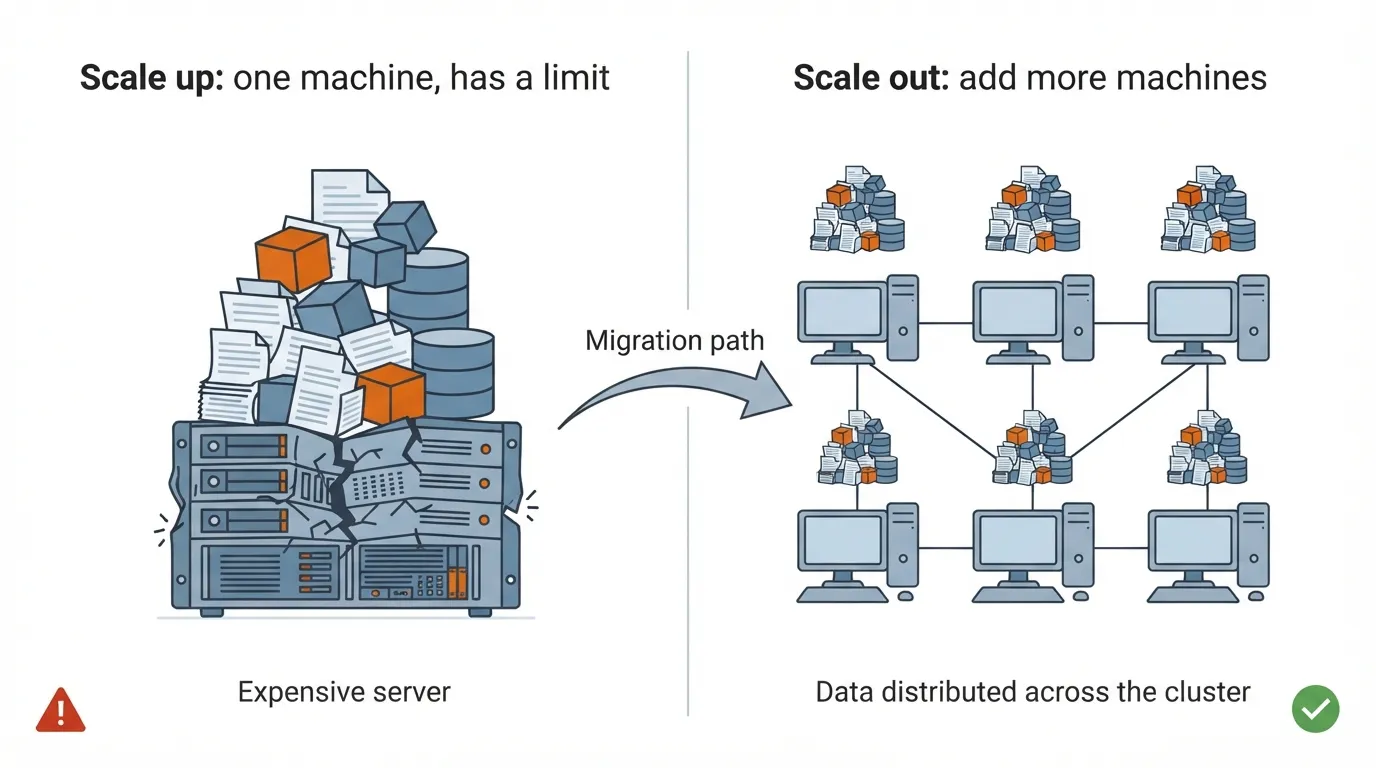
It is worth comparing the two strategies side by side.
| Property | Scale up (one big machine) | Scale out (a cluster) |
|---|---|---|
| How you grow | Buy a bigger server | Add more ordinary nodes |
| Hardware | Very expensive | Cheap commodity hardware |
| Upper limit | There is always a limit | From a few nodes to thousands |
| Where work runs | All on one machine | Split across the nodes |
The Price of Distribution
Scaling out is not free. The moment we spread data across many machines, we inherit three problems the single machine never had:
- Which data lives on which node? With one machine, a file is simply on its disk. With many, something must remember where every piece went.
- How do nodes communicate and coordinate? Many machines working on the same job is only useful if the work is divided and the results are brought back together.
- What happens when a machine crashes? On one server, a crash is a rare event. In large clusters, failures are normal.
That last point changes how the whole system must be designed. If failure is the normal state of affairs, the system cannot treat it as an emergency. It must expect machines to fail and keep working anyway, without losing data.
Stated as a General Rule
Scaling out trades one hard problem — a machine that cannot grow past its limit — for three new ones: tracking where data lives, coordinating the nodes, and surviving failure. The trade is worth it only if software solves those three problems, so that the people using the cluster do not have to. What the field needed was a framework that solves them once, for everyone.
Chapter 6: Enter Hadoop
What Hadoop Is
Apache Hadoop is an open-source framework for distributed storage and parallel processing of big data. It runs on clusters of commodity hardware — exactly the cluster Chapter 5 described. It was created around 2005, when the volume of web data, from sites like Facebook and YouTube, exploded. It is free to download from Apache, and commercial distributions also exist, such as Cloudera, Hortonworks, and MapR.
Its Core Components, at a Glance
The cleanest way to understand Hadoop’s design is to hold it up against the three challenges from Chapter 4. Each core component answers one of them.
| Challenge | Component | Its job, in one line |
|---|---|---|
| Storage | HDFS (Hadoop Distributed File System) | Splits files into blocks and spreads them across nodes |
| Processing | MapReduce | Runs the program on each node in parallel, close to the data |
| Scalability | YARN (Yet Another Resource Negotiator) | Decides which job gets which CPU and memory |
| — | Hadoop Common | Shared libraries used by the other components |
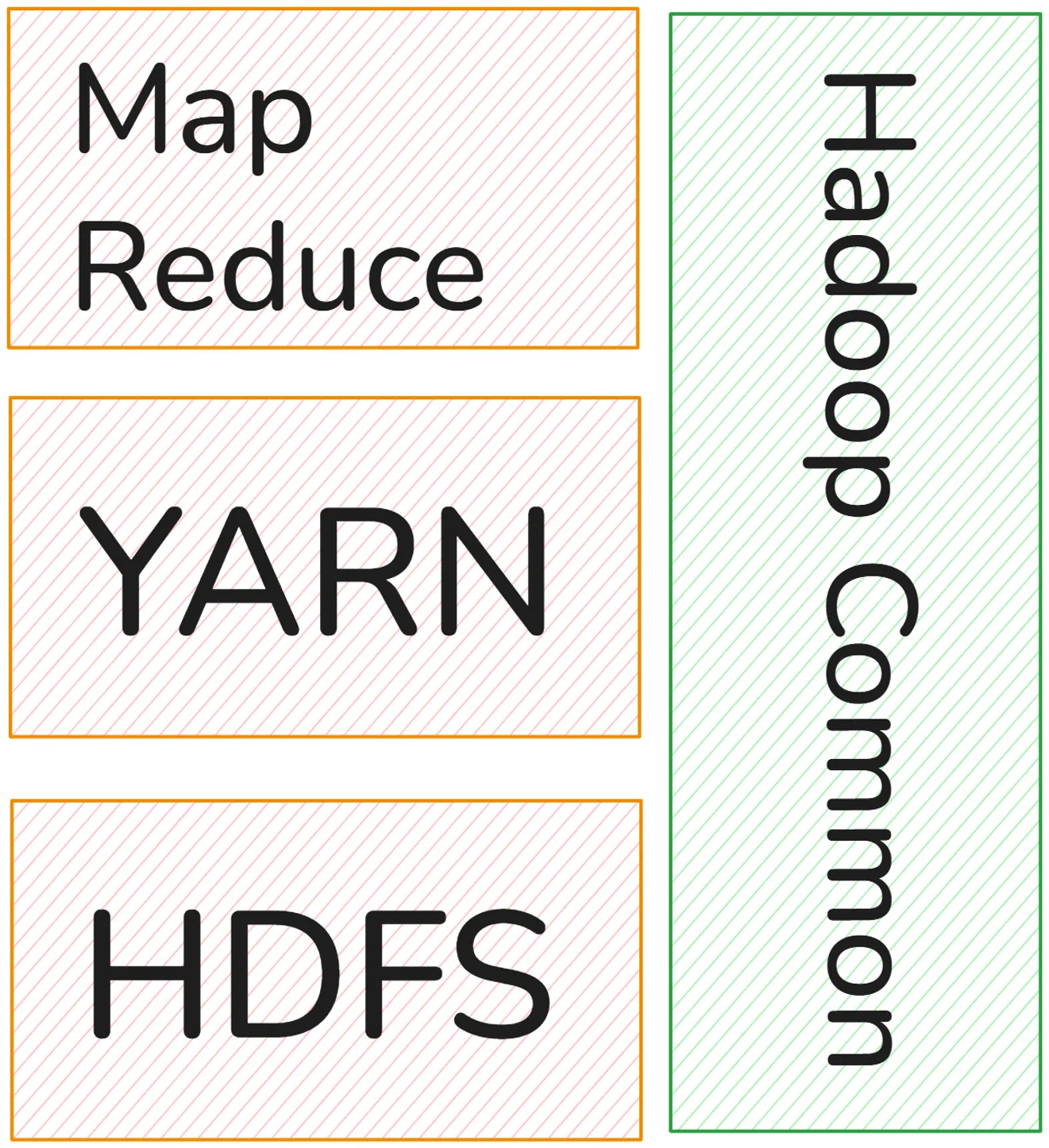
We deliberately stay at this altitude for now. How HDFS splits and tracks blocks, why MapReduce runs the program where the data already is, and how YARN hands out CPU and memory are the subject of Part 2.
What Hadoop Buys
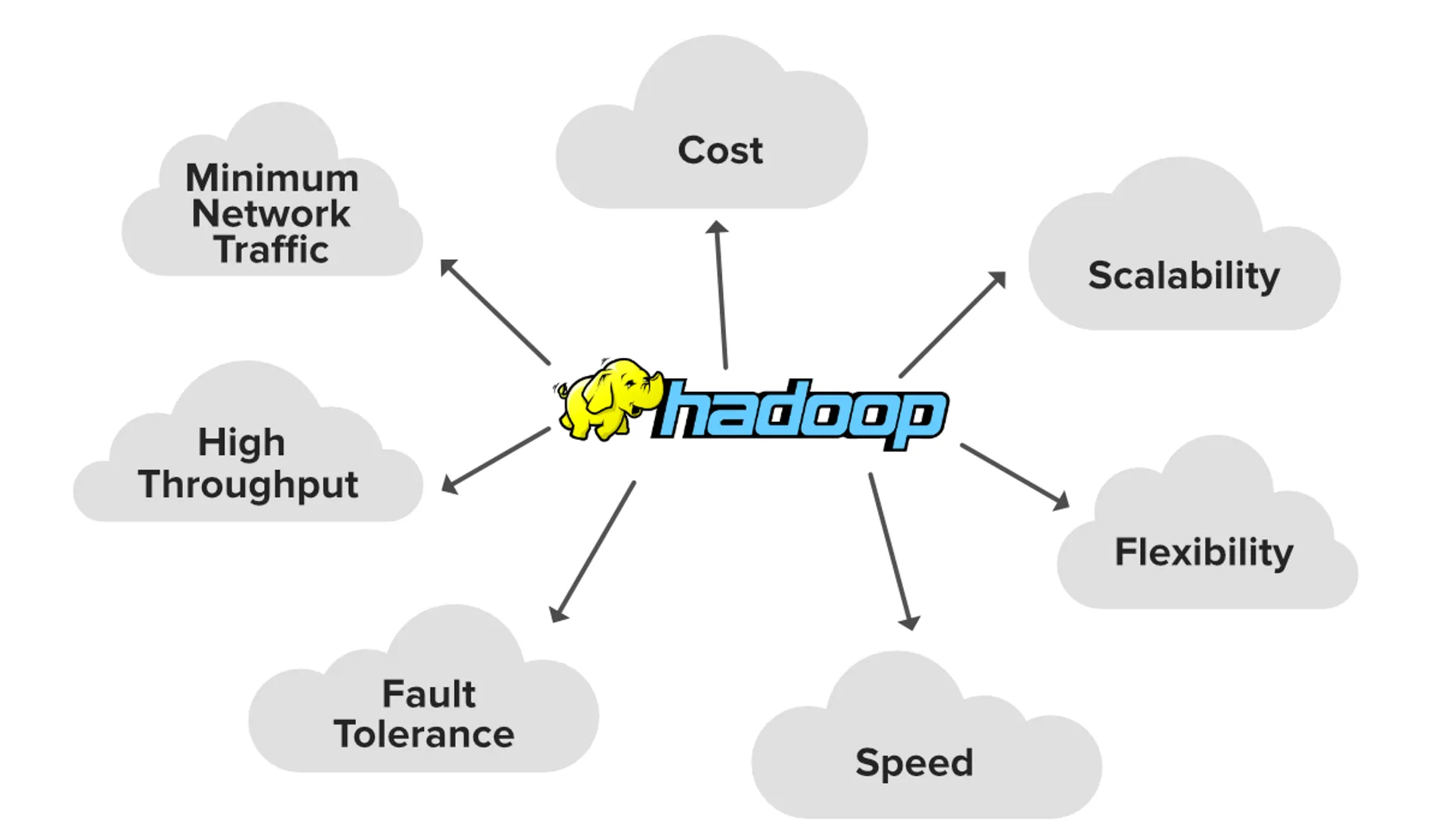
- Scalable — add more nodes as data grows. (Notice: as data grows. The “shrink” half of the Scalability question is still waiting.)
- Fault tolerant — keeps copies of data on different machines, so a hardware failure does not lose data. This is the answer to “what happens when a machine crashes?”
- Cost-effective — uses cheap commodity machines.
- Flexible — handles structured and unstructured data. This is the answer to Variety.
- Parallel — many nodes work at the same time.
What Hadoop Costs
An honest account includes the other column.
- It is designed for batch processing, not real time. For real-time work, Apache Spark is better.
- It is complex to configure and maintain — which is exactly what the labs practise.
- Replication uses extra storage space. Keeping copies on different machines is what makes Hadoop fault tolerant, but every copy takes up disk.
Where It Is Used
- Healthcare: patient records, medical images, early disease prediction.
- Banking: fraud detection, transaction analysis.
- Social media: sentiment analysis of posts.
- E-commerce: recommendations, customer behaviour, inventory management — the online store from Chapter 2, now at full scale.
The Whole Chain at a Glance
It helps to see the entire argument of this part in one place, because each step exists only to repair the problem the previous one left behind.
| Step | What it gives us | What it leaves unsolved |
|---|---|---|
| Data from every click and sensor | Records that could hold real value | Too large, fast, and varied for traditional tools |
| One powerful machine (scale up) | A simple design for structured data | Cannot keep up, struggles with unstructured data, has a limit |
| A cluster of ordinary machines | Data and processing split across many nodes | Where is the data? How do nodes coordinate? What if one fails? |
| Hadoop (HDFS, MapReduce, YARN) | One framework that answers those questions | How does each component work inside? → Part 2 |
Nothing in this table was chosen for fashion. Each row is the response forced by the problem in the row above it.
What Comes in Part 2
We now have the problem in full, and the shape of the answer. We know why one machine is never enough, why a cluster is the way out, and which new problems the cluster creates. We have met Hadoop’s components by name. What we do not yet have is the inside view.
Part 2 opens the components one at a time. We follow a 400 MB file as HDFS splits it into 128 MB blocks, and see why, with three copies of each block, that file ends up stored as twelve blocks across the cluster. We meet the NameNode that keeps track of which block is on which machine, and the DataNodes that send it a heartbeat to say “I’m alive” — and we ask what happens when one of them stops. We walk through MapReduce by hand, on a word count and on an average-age example, from Map through Shuffle & Sort to Reduce. And we watch YARN take a submitted job, start an ApplicationMaster for it, and request containers on the nodes that hold the data.
The single principle running through all of it: Hadoop moves the work to the data, not the data to the work.
And Part 2 will end where the rest of this series begins. Hadoop solves storage, processing, and growth — but it leaves us holding a cluster: machines to buy, a framework that is complex to configure and maintain, and capacity that can grow but not easily shrink. That remaining burden is exactly what the cloud takes off our hands, and it is where Part 3 picks up the story.
References
- Deshpande, T., Karanth, S., & Turkington, G. Hadoop: Data Processing and Modelling (Learning Path). Packt Publishing.
- Oracle. What Is Big Data? https://www.oracle.com/big-data/what-is-big-data/
- Big Data — Understanding Hadoop: Architecture, Features, Challenges & Applications. Medium. https://medium.com/@rp99452/big-data-understanding-hadoop-architecturefeatures-challenges-applications-c7ab7011e375
- Mehta, C. B. (2022). A Comprehensive Review of Hadoop Ecosystem for Big Data Processing and Analytics. IJNRD, 7(10).